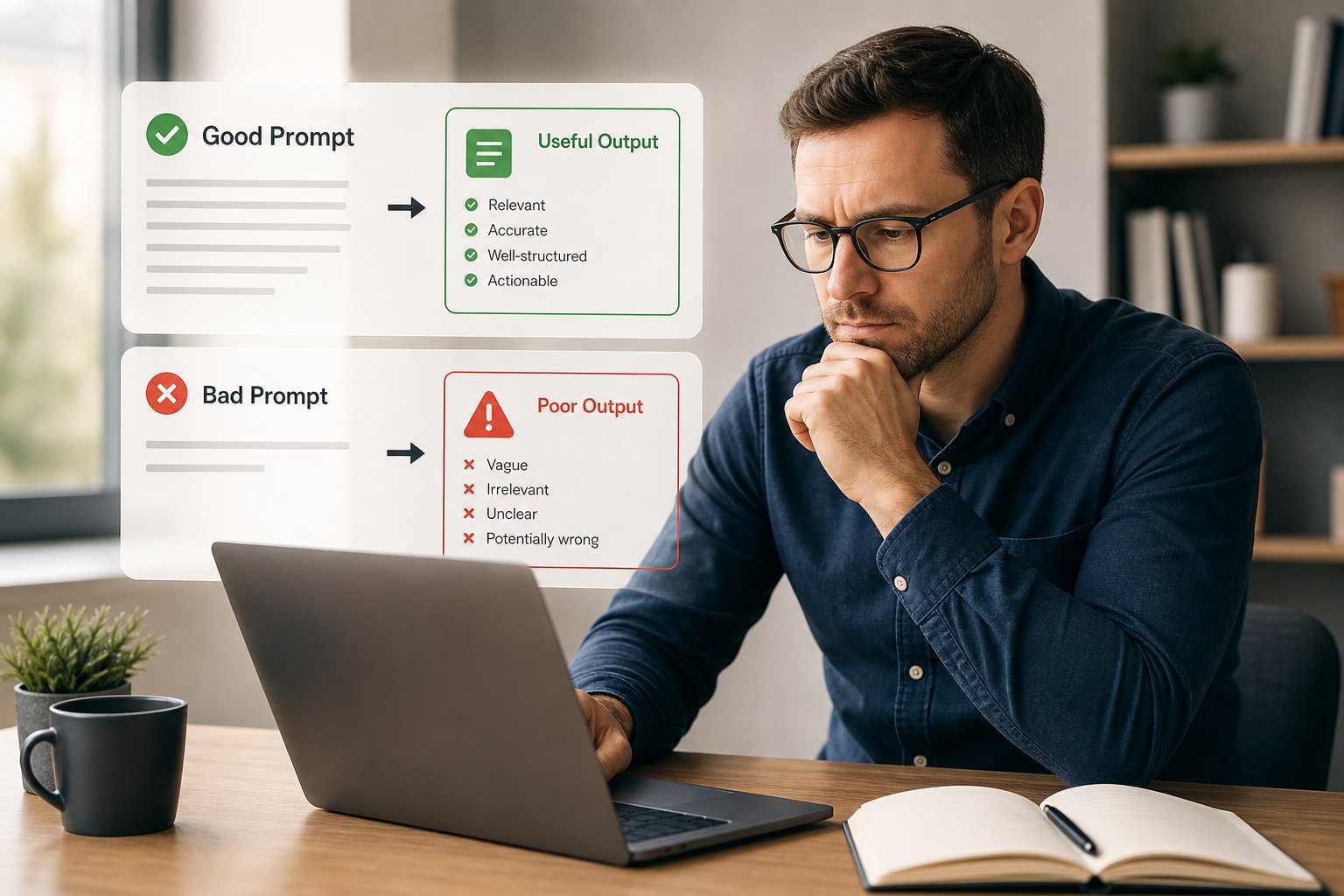
Most businesses know AI matters. Few know where to start. In practice, the quality of the prompt often decides whether AI gives you something useful, vague, or plainly wrong. For SMEs, that matters because a poor prompt can waste time, create bad outputs, and lead to decisions based on made-up information.
A good prompt does not need to be long. It needs to be clear about the task, the context, the output you want, and the limits the AI must follow. That is what separates a useful AI tool from a frustrating one.
Why prompting matters
AI does not read your mind. It predicts a response based on the instructions and information you give it. If the prompt is vague, the output usually is too.
That has practical consequences for business use:
- you spend longer editing
- the answer may miss the real question
- important context gets left out
- the model can fill gaps with confident-sounding but false content
For SMEs, that is not just an inconvenience. It can affect customer communications, internal decisions, marketing copy, reporting, and process design. If the prompt is weak, the output rarely improves on its own.
The main ways of prompting AI
Different tasks call for different prompting styles. The right approach depends on what you want the AI to do.
Simple instruction prompts
These are short, direct requests.
Example: “Write a polite follow-up email to a supplier about a delayed delivery.”
This works well for straightforward tasks where the AI only needs a clear action. It is fast, but it may still need context such as tone, audience, or length.
Context-rich prompts
These include the background the AI needs to make a better decision.
Example: “Write a follow-up email to a supplier. We are an SME, the delay is affecting a customer order, and we want to stay professional but firm.”
This usually gives better results because the model has more useful constraints. It is often the best starting point for business use.
Structured prompts
These tell the AI how to organise the answer.
Example: “Create a three-part response: summary, risks, and next steps.”
Structured prompts are useful when you want consistency, especially for repeatable tasks such as reports, internal notes, meeting summaries, or content drafts.
Role-based prompts
These ask the model to answer from a defined perspective.
Example: “Act as an operations consultant and review this process for inefficiencies.”
This can help the AI focus on a specific lens, but it should not be treated as expertise in itself. The output still needs checking.
Step-by-step prompts
These break a larger task into stages.
Example: “First identify the key risks, then suggest three actions, then draft a short recommendation.”
This is useful when you want better reasoning or a more controlled output. It also makes it easier to review each stage.
Prompt chains and follow-up prompts
Sometimes the best prompt is not one long message, but a sequence.
You might first ask the AI to summarise a document, then ask it to extract risks, then ask it to rewrite the findings for a board update.
This is often better than asking for everything at once, especially when accuracy matters.
What makes a good prompt
A good prompt gives the model enough to work with, without overload.
It is specific
“Improve this” is weak. “Rewrite this for a finance director in clear, concise language” is better.
Specificity helps because it reduces guesswork. The AI has a narrower target and is more likely to produce something usable.
It gives context
Context tells the model what matters.
If you are asking for a sales email, say who it is for, what the offer is, and what action you want the reader to take. If you are asking for a summary, explain who will read it and how detailed it should be.
It defines the output
Do you want bullets, a table, a draft email, a checklist, or a short summary? Say so.
If the format matters, spell it out. AI will usually comply more reliably when the destination is obvious.
It includes constraints
Good prompts also set boundaries:
- tone
- length
- audience
- terminology
- what to avoid
- whether to ask questions first
Constraints are not a nuisance. They are what make the output usable in a business setting.
It asks for uncertainty to be flagged
If accuracy matters, tell the model to say when it is unsure.
That does not remove the risk of error, but it makes the output easier to review. It is better to have a cautious answer than a confident one that is wrong.
What makes a bad prompt
Bad prompts are usually unclear, incomplete, or overloaded.
Too vague
“Write about AI” is not a prompt. It is a topic.
The model may produce something generic because it has no purpose, audience, or output shape to work with.
Too broad
“Explain everything about AI for business” invites a shallow answer.
If the task is too large, the output tends to be too general to be useful.
Too little context
A prompt without audience, goal, or constraints forces the model to guess. That is where poor tone, irrelevant detail, and wrong assumptions creep in.
Too many instructions at once
A prompt can also fail when it tries to do everything in one go. Long, tangled requests are harder for the model to follow and harder for humans to review.
Hidden assumptions
If you assume the model knows your business, your customer, or your process, it may produce something plausible but wrong. Do not make it infer what you can state directly.
How to reduce fake or hallucinated data
No prompt can eliminate hallucinations completely, but you can reduce the risk.
Use prompts that force the model to work within evidence
Ask for answers based only on the information provided. If you have a document, policy, product sheet, or dataset, tell the model to use that material only.
That is one of the simplest ways to improve reliability.
Separate generation from verification
Do not treat the first output as final. Use AI to draft, summarise, structure, or suggest, then check the facts before anything is published or acted on.
For SMEs, this is a useful operating habit: AI can accelerate work, but people still need to own the decision.
Ask for sources or assumptions
If the task allows it, ask the model to list:
- what it is certain about
- what it is assuming
- what it cannot verify
That makes review faster and reduces the chance of quietly accepting invented detail.
Cross-check important claims
Anything customer-facing, legally sensitive, financial, or strategic should be checked against a trusted source. AI can support the process, but it should not be the only source of truth.
Use smaller tasks
When you ask a model to do too much, the chance of error rises. Smaller prompts are easier to verify and often produce better quality.
Keep a human in the loop
This matters most where the output affects customers, money, compliance, or operational decisions. AI can assist, but it should not replace review.
A simple prompt structure that works well
A practical prompt often follows this pattern:
- Task: what you want done
- Context: background or business situation
- Audience: who the output is for
- Format: how you want it presented
- Constraints: length, tone, exclusions, must-include points
- Quality check: ask the model to highlight uncertainty or assumptions
Example:
“Draft a short email to a customer who has complained about a delayed order. We are an SME and want to sound calm, accountable, and helpful. Keep it under 120 words. Include an apology, a brief explanation, and the next step. Do not over-explain. If any details are missing, flag them before drafting.”
That kind of prompt is useful because it gives the model direction without boxing it into a bad answer.
Where prompting fits into practical AI use
Prompting is not just a writing skill. It is part of how businesses get value from AI.
If you want AI to save time, improve decision-making, or create capacity for growth, the prompt has to match the task. A generic prompt may be fine for a rough first draft. It is not enough for repeatable business use.
That is why many SMEs get better results when they treat prompting as part of implementation, not as an afterthought. The real benefit comes from building prompts, review steps, and use cases that work together.
Final thought
Good prompting is clear, specific, and realistic about what AI can and cannot do. Bad prompting creates vague output and increases the risk of fake detail slipping through.
If you are exploring AI in your business, start with one practical use case, define the prompt properly, and build in review. That is usually a better route than trying to make AI do everything at once.
If you want help identifying the right AI opportunity or shaping prompts that fit your process, we can help you assess where AI can create measurable value and how to implement it safely.