For many SMEs, HR time disappears in the same places every week. New starter paperwork needs chasing, policies get repeated in slightly different ways, and simple people requests end up sitting in inboxes until someone remembers to follow up. AI is useful here not because it replaces HR judgement, but because it can take over the repetitive routing, drafting and tracking that often slows the process down.
The practical opportunity is in the workflow, not the headline. If you use AI to handle low-risk admin, employees get faster answers and your team gets more capacity to focus on cases that genuinely need human judgement.
Where SMEs lose time in everyday HR admin
In a small business, HR work rarely stays inside a neat HR function. The owner, office manager, finance lead or operations team often ends up handling people queries alongside everything else. That creates a few predictable bottlenecks.
The first is repetition. Questions about holiday, sick leave, onboarding steps, payroll dates, probation periods or policy basics come up again and again. The answer may be straightforward, but the time cost comes from retyping, rechecking and re-explaining it.
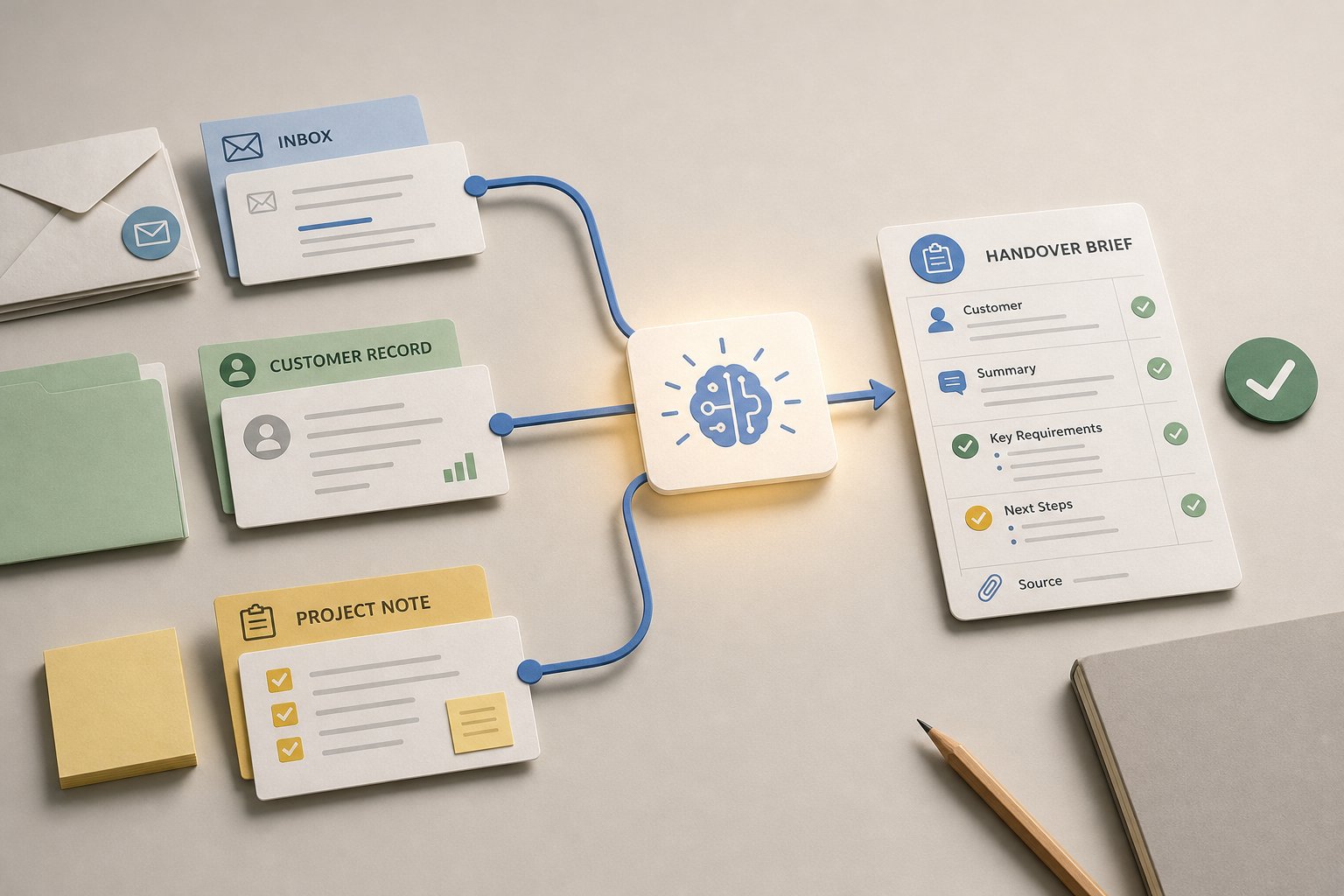
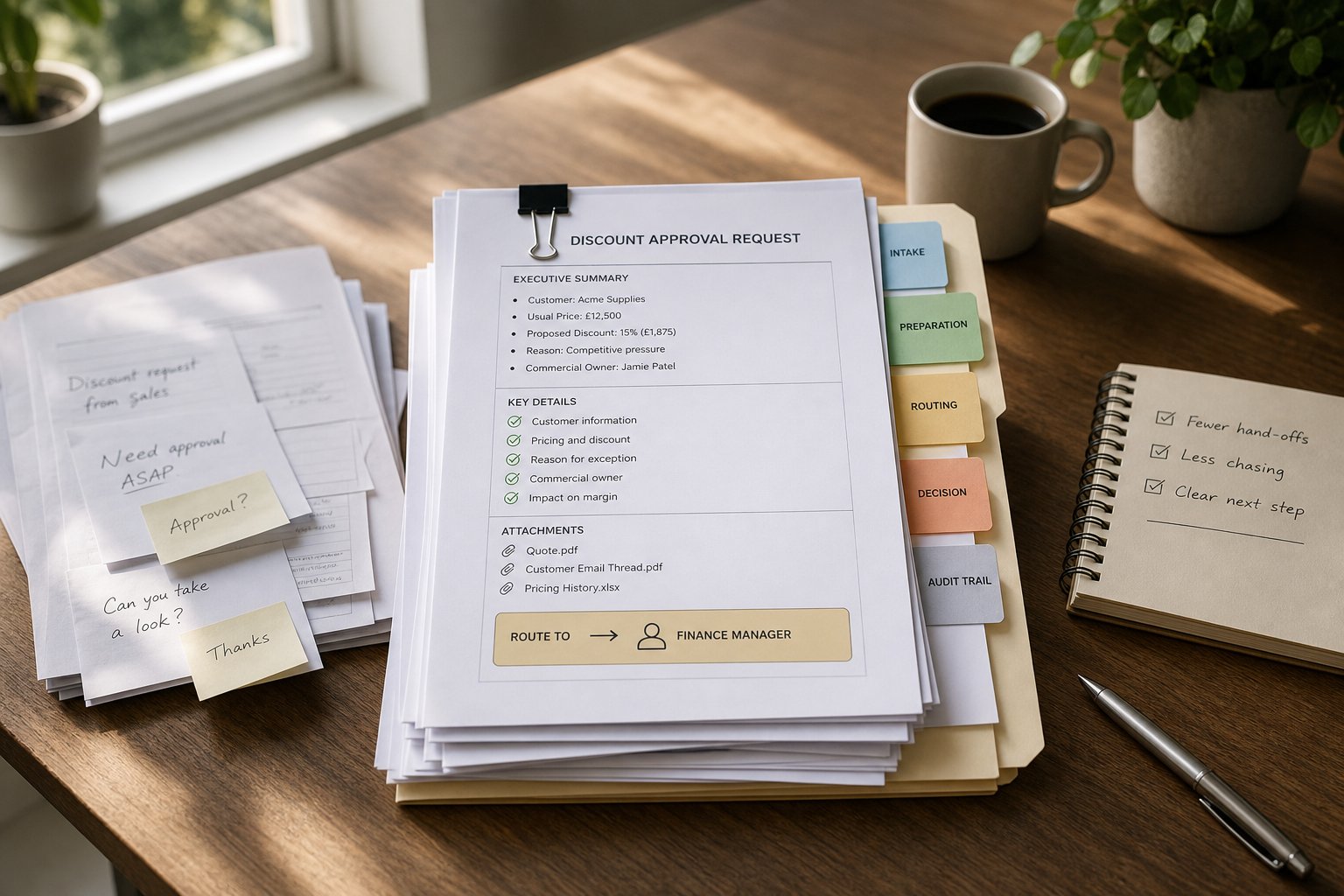
The second is fragmentation. A request may arrive by email, chat, verbal conversation or a form, then need to be copied into a spreadsheet, passed to another person and chased later. Each handover is a point where details can be lost.
The third is inconsistency. When several people answer people queries, the employee experience depends on who replies, how busy they are and which version of the answer they know. That is where AI can be helpful, provided the process is set up properly.
How AI can support onboarding without taking over the human part
Onboarding is a strong starting point for AI for SMEs because the work is structured and repeatable. The same steps usually happen for every new starter, even if the role changes.
AI can help with the parts that are easy to standardise: drafting welcome messages, generating checklists, reminding managers of the next step, and helping new starters find the right documents. It can also guide someone through a sequence of tasks, such as completing forms, confirming equipment needs, or locating policies before day one.
That said, onboarding is not just admin. A good process also includes introductions, context, role expectations and early support. AI should help the workflow move smoothly, while a manager or HR lead still handles the conversations that need judgement, nuance or reassurance.
A simple way to think about it is this:
- Good fit for AI: document collection, reminders, FAQ-style questions, status tracking, basic drafting.
- Keep human-led: role expectations, sensitive questions, performance concerns, individual support needs.
- Best combined approach: AI handles the routine steps, while people step in where context matters.
That balance matters more than automation volume. A light-touch workflow that is reliable is usually better than a complicated one that looks efficient on paper but creates confusion in practice.
Which people requests are easiest to automate first?
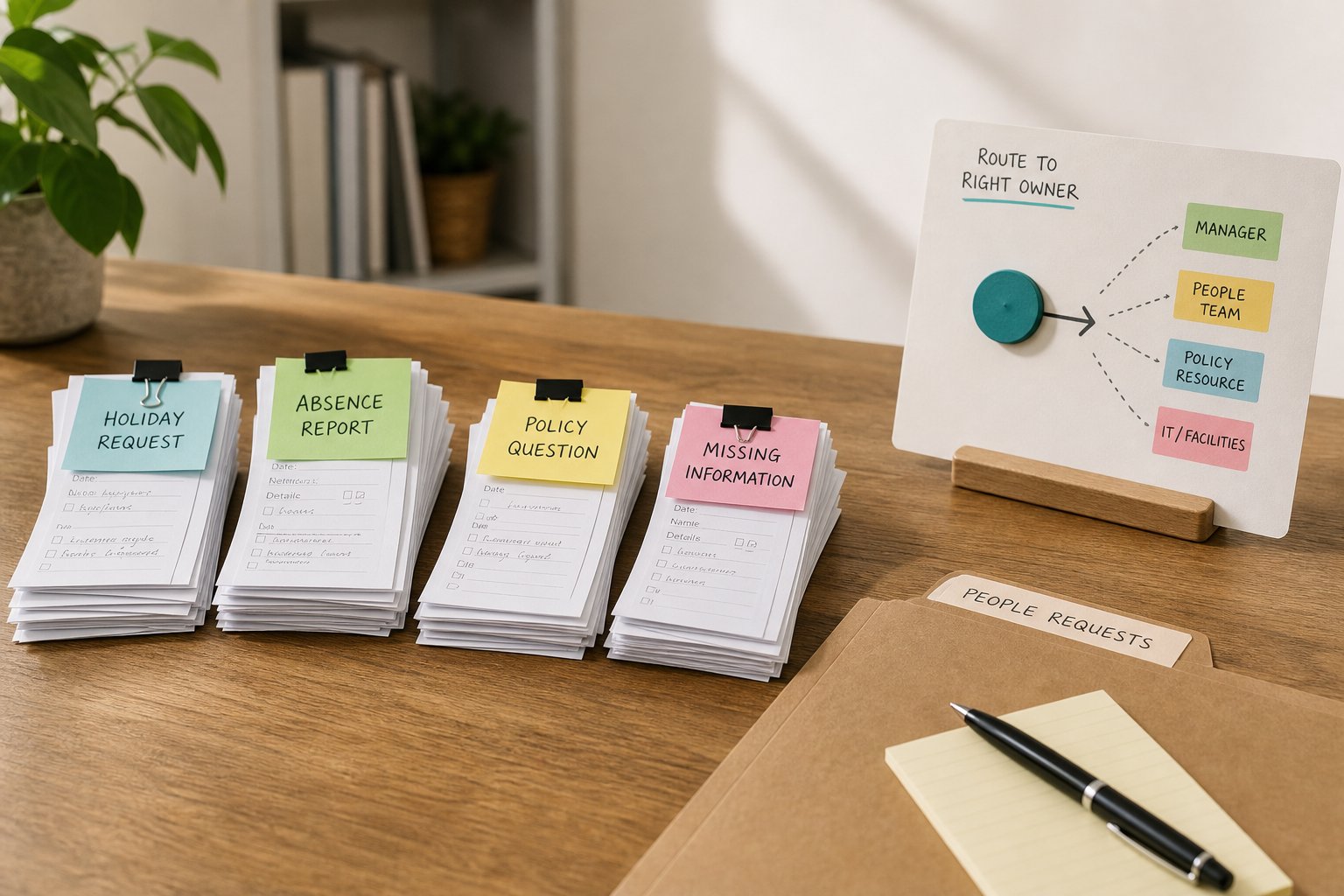
The best first use cases are repetitive, low-risk requests with clear rules. These are the queries where a fast, consistent response is more valuable than a long, bespoke exchange.
Typical examples include holiday requests, policy signposting, absence reporting, onboarding checklists, benefits queries, and reminders for missing information. AI can triage these requests, collect the details needed to progress them, and send them to the right person or system.
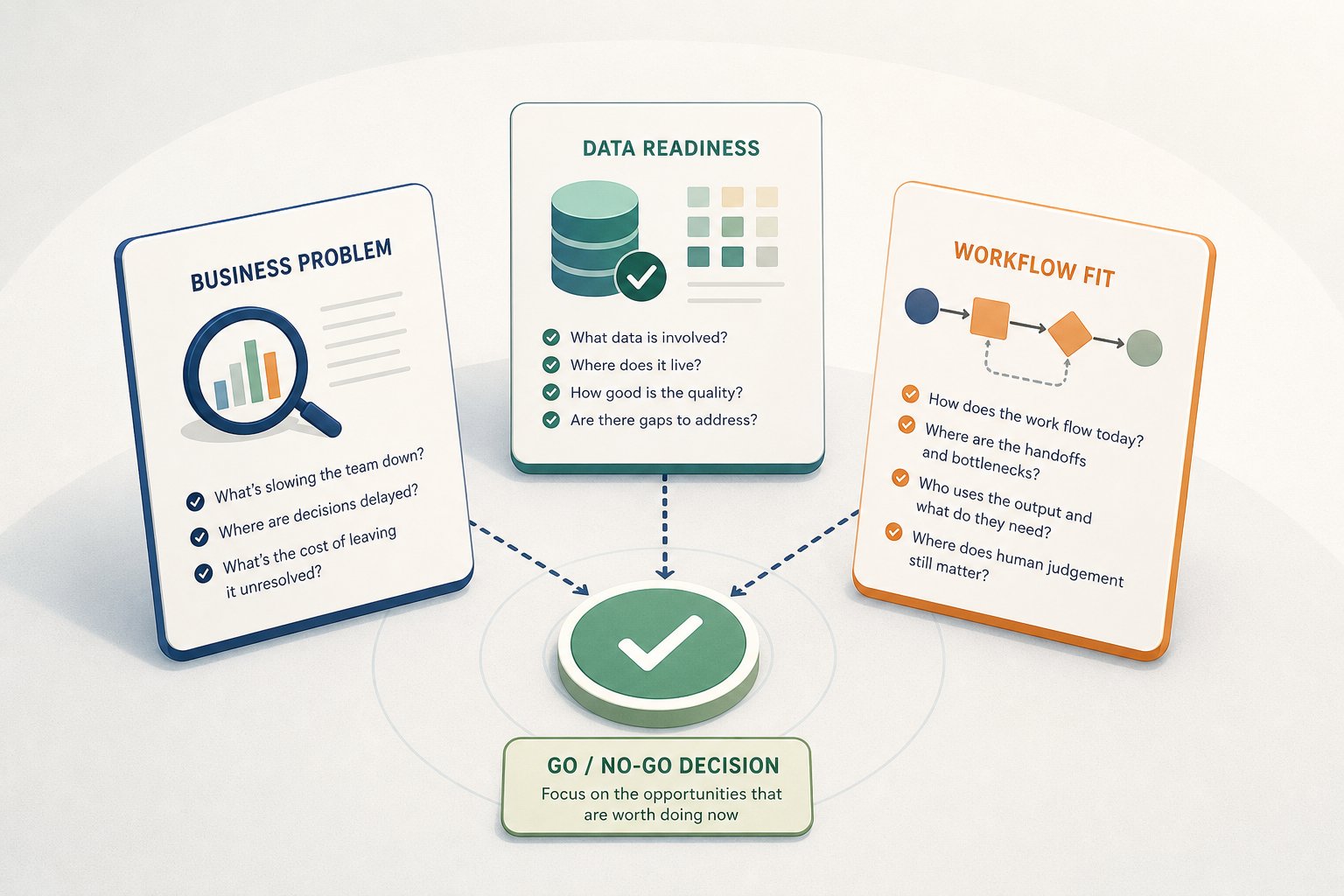
A practical filter is to ask three questions:
- Is the request common enough to be worth systemising?
- Is the answer based on a clear rule, policy or workflow?
- Would a wrong answer create a meaningful risk or just a delay?
If the answer to the first two is yes, and the third is low risk, the task is often a good candidate for AI support. If the request is sensitive, ambiguous or likely to affect someone’s employment status, keep the human in the loop from the start.
This is also where AI can improve follow-up. Instead of relying on memory, it can prompt the next action, confirm what has been received and flag anything missing. That reduces the “I thought someone else was dealing with it” problem that slows small teams down.
Why connected people data matters more than isolated tools
AI works best when it can see the step before and the step after, not just the message in front of it. In HR workflows, that usually means connecting people data, task status and the actual process.
If onboarding information sits in one place, policy documents in another and follow-up tasks in a third, AI can only do so much. It may draft a good reply, but it cannot reliably move the process forward unless the underlying workflow is joined up.
For SMEs, that does not mean building a large system. It means designing a simple flow with clear inputs and outputs. For example, a new starter form could feed a checklist, which triggers document requests, which then updates the manager when each item is complete. AI can sit on top of that process to route the request, highlight missing information and generate the next message.
The benefit is not just efficiency. Better workflow design also makes decision-making clearer. When the same data is captured in the same way each time, it is easier to see what is waiting, what is overdue and where support is needed.
How to keep responses consistent without sounding robotic
One of the strongest uses of AI in HR is consistency. If employees get different answers to the same basic question, trust in the process drops quickly. AI can help reduce that variation by drawing from approved wording, standard policy language and defined next steps.
That does not mean every response should sound identical. It means the core information should be stable, while the tone can still feel human and relevant. For example, a response about annual leave should always reflect the same policy position, but it can still acknowledge the person’s request and explain the next action in plain English.
The practical risk is over-automation. If every message reads as if it came from a template, employees may stop engaging with the process and start working around it. The better approach is to use AI for the structure of the response, then allow a human to review anything that needs judgement, empathy or nuance.
This is particularly important for follow-up. A well-designed AI workflow can send the first response, wait for a missing document, then prompt the next step without creating a pile of manual chasing. That saves time and makes the process feel more joined up for the employee.
What SMEs should put in place before they automate
A simple process beats a clever one. Before introducing AI into HR workflows, it helps to define the request types you want to handle, who approves what, and where the human review point sits.
Keep the starting scope narrow. A small number of repetitive workflows is enough to create measurable value without adding complexity. Onboarding, common people requests and policy signposting are usually better starting points than anything sensitive or judgement-heavy.
It also helps to set a few basic controls:
- Decide which tasks are low risk enough for AI support.
- Create approved wording or policy sources for routine answers.
- Set clear escalation rules for sensitive queries.
- Check how employee data is stored, accessed and used.
- Review the workflow regularly so it stays accurate as policies change.
That last point is easy to miss. AI does not remove the need to maintain the process. If the policy changes and the workflow does not, the automation becomes a source of inconsistency rather than support.
Practical next step for SME HR teams
If your team is still dealing with people requests through inboxes and memory, start with one workflow rather than the whole function. Map the steps, identify the repeat questions, and separate the low-risk tasks from the ones that still need a human response.
That is usually where AI creates the first useful gain for SMEs. Not by replacing HR, but by making the routine parts faster, clearer and easier to manage.