
Client onboarding often goes wrong in small but expensive ways: a form is filled in halfway, a deadline sits in someone’s inbox, a key detail is typed into the wrong system, or the client is asked the same question twice.
For service businesses, that creates avoidable rework before the work has even started. The fix is not to add more process for the sake of it. It is to use AI where it can move information faster, route it more accurately, and keep the handover between systems and people intact.
Used well, AI can support onboarding without replacing the judgement that service teams still need. It can help capture details, spot missing information, push tasks to the right person, and reduce the back-and-forth that slows down a client’s first weeks.
Where onboarding usually breaks down
Onboarding is rarely one broken step. It is usually a chain of small gaps.
A client submits information in a form, but someone still has to rekey it into a CRM, a project tool, and an internal tracker. A colleague receives an email thread with important context, but no one turns that into an action. A task is created, but the owner is not clear. A client answers one question, then is asked something similar again because the first response was not captured in the right place.
For SMEs, the issue is often not lack of effort. It is disconnected workflow. The team knows what needs to happen, but the process depends too much on memory, manual checking and individual follow-up.
That is where AI can add practical value. Not by making onboarding “smart” in a vague sense, but by reducing the points where information gets lost, duplicated or delayed.
How AI can capture and route information correctly
A strong onboarding process starts with better intake.
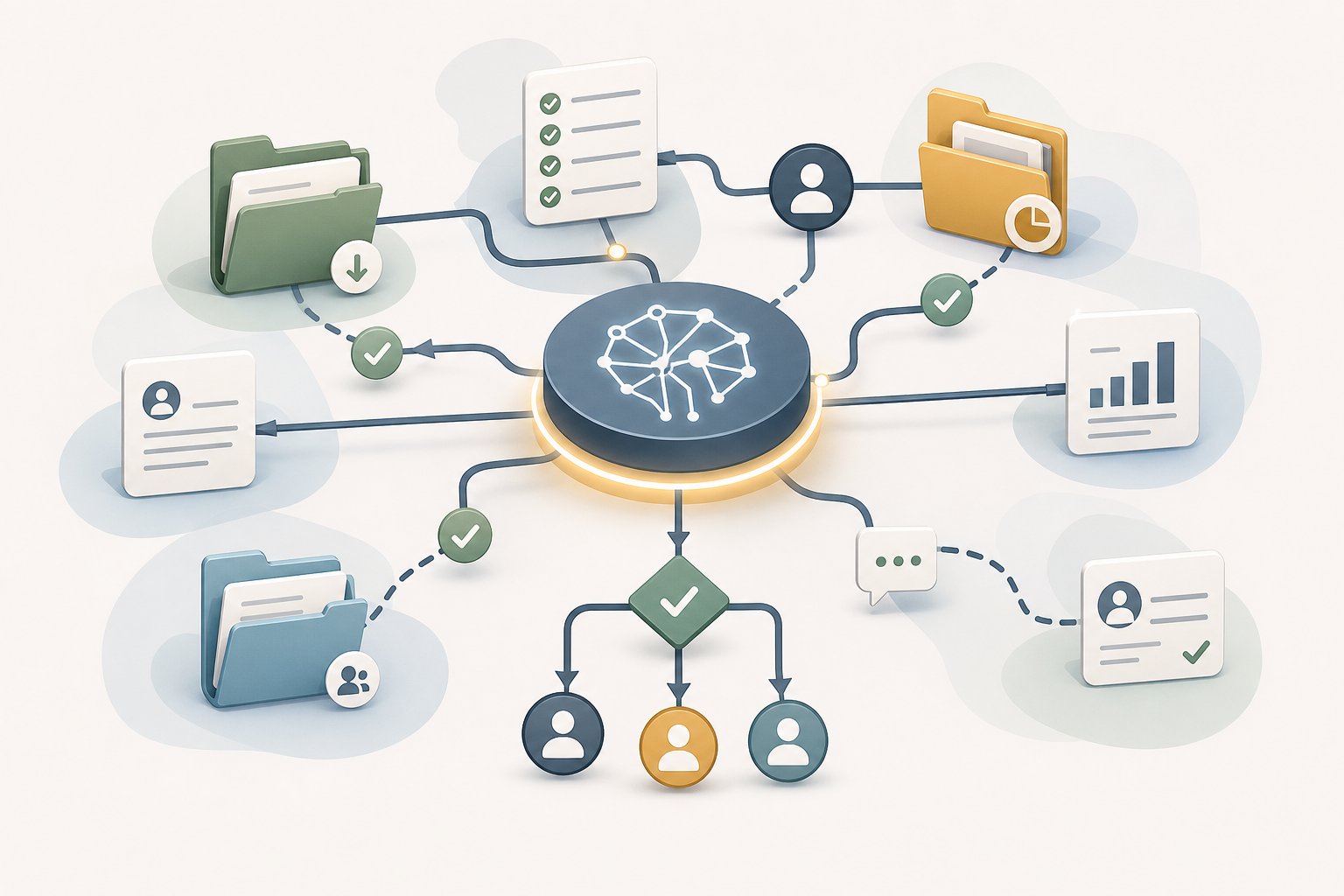
AI can help read incoming information from forms, emails and documents, then sort it into the right categories before a person has to touch it. In practice, that can mean:
- pulling key client details from an enquiry form and placing them into the CRM
- identifying whether the request belongs with sales, operations, accounts or delivery
- flagging incomplete fields before the client is passed to the next stage
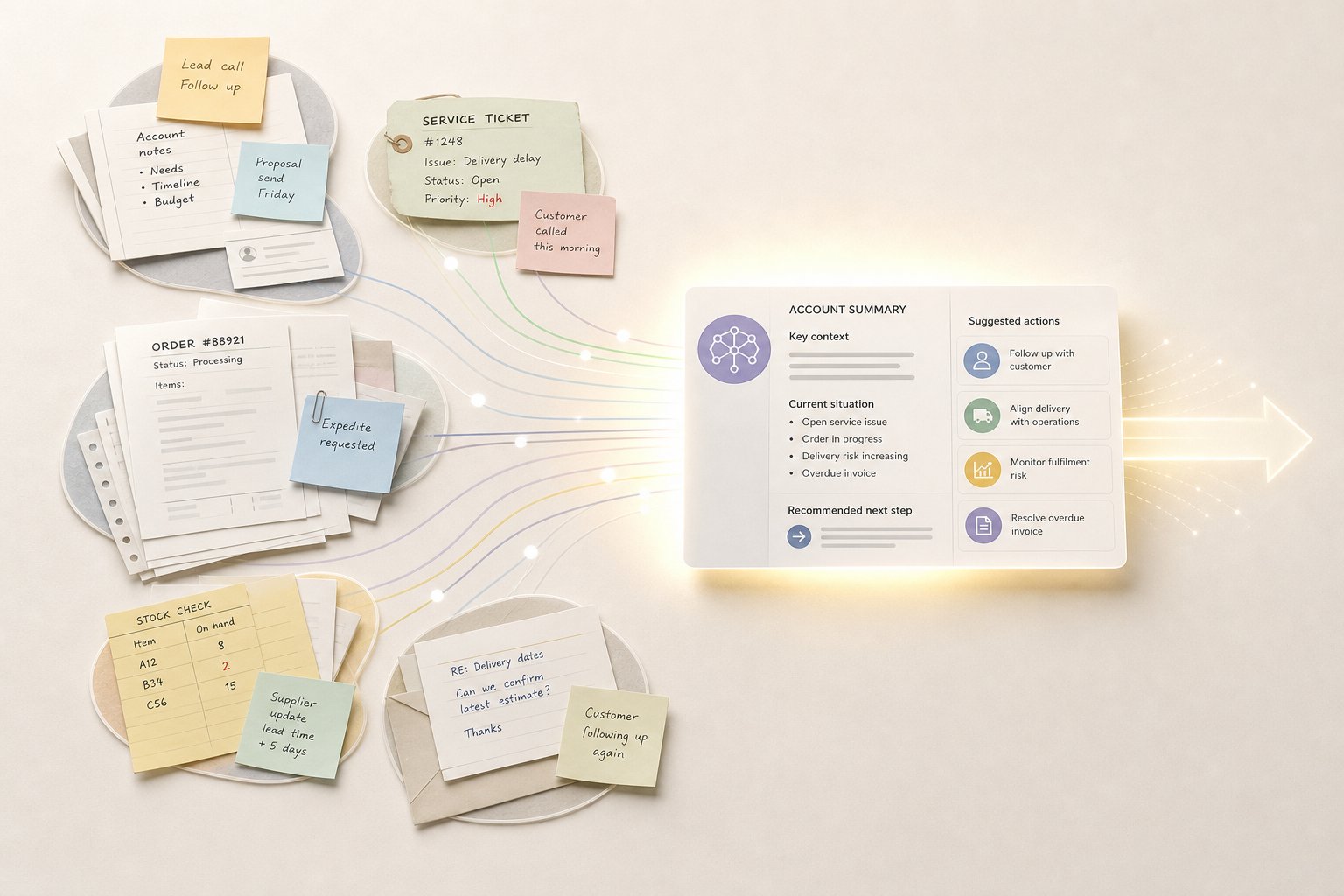
- summarising long email threads so the next team member has the context they need
The value is not speed alone. Better routing reduces errors. If a VAT number, scope note or delivery deadline lands in the right place first time, there is less chance of chasing it later or starting work on the wrong assumption.
For service businesses with limited internal resource, that matters because onboarding often depends on one or two people doing several jobs at once. AI can take over part of the sorting work so those people spend more time on judgement, client contact and exception handling.
Linking forms, inboxes and internal tasks
Most onboarding problems appear at the handoff points between systems.
A client completes a form, but the request still has to be copied into a spreadsheet. An inbox receives a question, but no task is created. A project is approved, but nobody tells the delivery team what changed.
AI works best here when it sits inside a connected workflow rather than as a standalone tool. The goal is to move information once, then let it trigger the next step automatically.
That might look like:
A form that triggers a clean next action
When a client submits onboarding details, AI can check whether the response is complete, categorise the request, and create the right internal task without manual sorting.
An inbox that turns into a work queue
Instead of staff scanning every message, AI can help label enquiries, spot urgency, and route the message to the right owner.
A task list that reflects the client’s actual status
If a document is missing or a signature is still outstanding, the system can flag the gap early rather than letting the project stall quietly.
For SMEs, this approach is usually more realistic than trying to automate the whole process at once. It keeps the process usable and makes each step easier to support.
Reducing repeat questions and missing details
Repeat questions are a common sign that onboarding is not holding information properly.
A client may have already given the same detail in an enquiry, a form and a call, but the team still asks again because the answer was not captured in a usable format. That wastes time on both sides and makes the business feel less organised than it is.
AI can help in two useful ways here.
First, it can summarise previous interactions so the team does not need to start from scratch each time. If the client has already shared project goals, constraints or contact details, those can be surfaced for the person handling the next step.
Second, it can flag missing or inconsistent details before the client is handed over. If one field says the project starts next week and another says next month, that should be visible early. If a required attachment is missing, the system should prompt for it before the work begins.
The benefit is a smoother start for clients, but the real operational gain is fewer corrections later. Every missing detail caught at onboarding is one less issue to chase after work has already started.
How to measure whether onboarding has improved
If onboarding is getting better, it should show up in the work, not just in the software.
Start with a few practical measures that reflect rework and delay:
- time from enquiry to onboarding completion
- number of follow-up requests needed to collect missing information
- number of tasks that have to be corrected or reassigned
- average time spent by staff on manual onboarding admin
- number of clients who need the same detail repeated more than once
You do not need a complex dashboard to begin with. Even a simple before-and-after comparison can show whether AI is helping or just shifting work elsewhere.
It is also worth checking the quality of the client experience. If the process is faster but more confusing, it has not really improved. A better onboarding flow should feel clearer for clients and lighter for the team.
Practical examples of where AI can remove rework
The most useful AI use cases in onboarding are usually the ordinary ones.
A consultancy might use AI to read enquiry forms, assign leads, and draft a first response that includes the right next step. A marketing agency might use it to extract campaign requirements from a client brief and create an internal task list for the delivery team. A professional services firm might use it to summarise onboarding emails and flag the missing compliance documents before handover.
None of these examples rely on AI replacing the process owner. The point is to reduce repetitive checking and manual copying so the team can focus on the parts that need judgement.
For SMEs exploring AI for SMEs, this is often the most sensible place to start. Onboarding is contained, repeatable and easy to measure. That makes it a good candidate for an AI opportunity assessment before moving into more complex areas.
A better start for clients starts with cleaner workflows
If onboarding feels slow or messy, the problem is usually not one big failure. It is the small gaps between forms, inboxes, tasks and handovers.
AI can help close those gaps by capturing information more reliably, routing it more intelligently and reducing the repeat work that chips away at team time. For service businesses, that creates a more consistent start for clients and a more manageable process for staff.
If you want to reduce onboarding rework without overcomplicating the operation, start by mapping where information is being copied, checked or chased more than once. That is usually where practical AI can save time fastest.